
更多AI前沿科技资讯,请关注我们:closerAI-一个深入探索前沿人工智能与AIGC领域的资讯平台
【closerAI ComfyUI】强!时空分块循环! 8G低显存者福音!miniMaxH3稳定"一采-3D lantent放大-二采的时空分块循环处理"解决方案工作流!高清放大不爆显存!

大家好,我是Jimmy。这期分享关于minimaxH3的案例。
事情是这样,一位网友用minimaxH3生成伪手绘图像过程视频!一时间闹翻天!很多人玩嗨了。
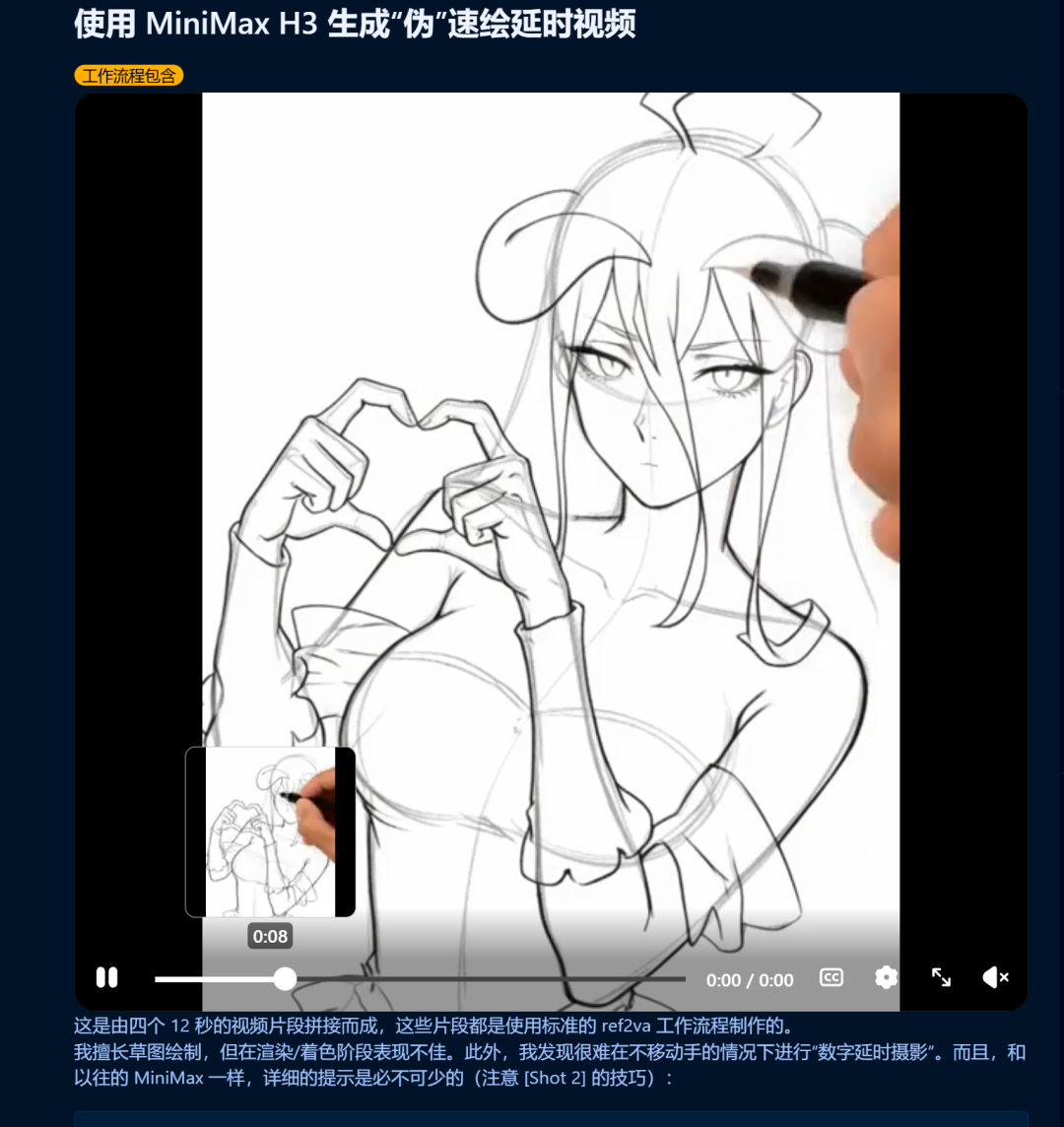
我们看看它的效果:

我也模仿它做了个:
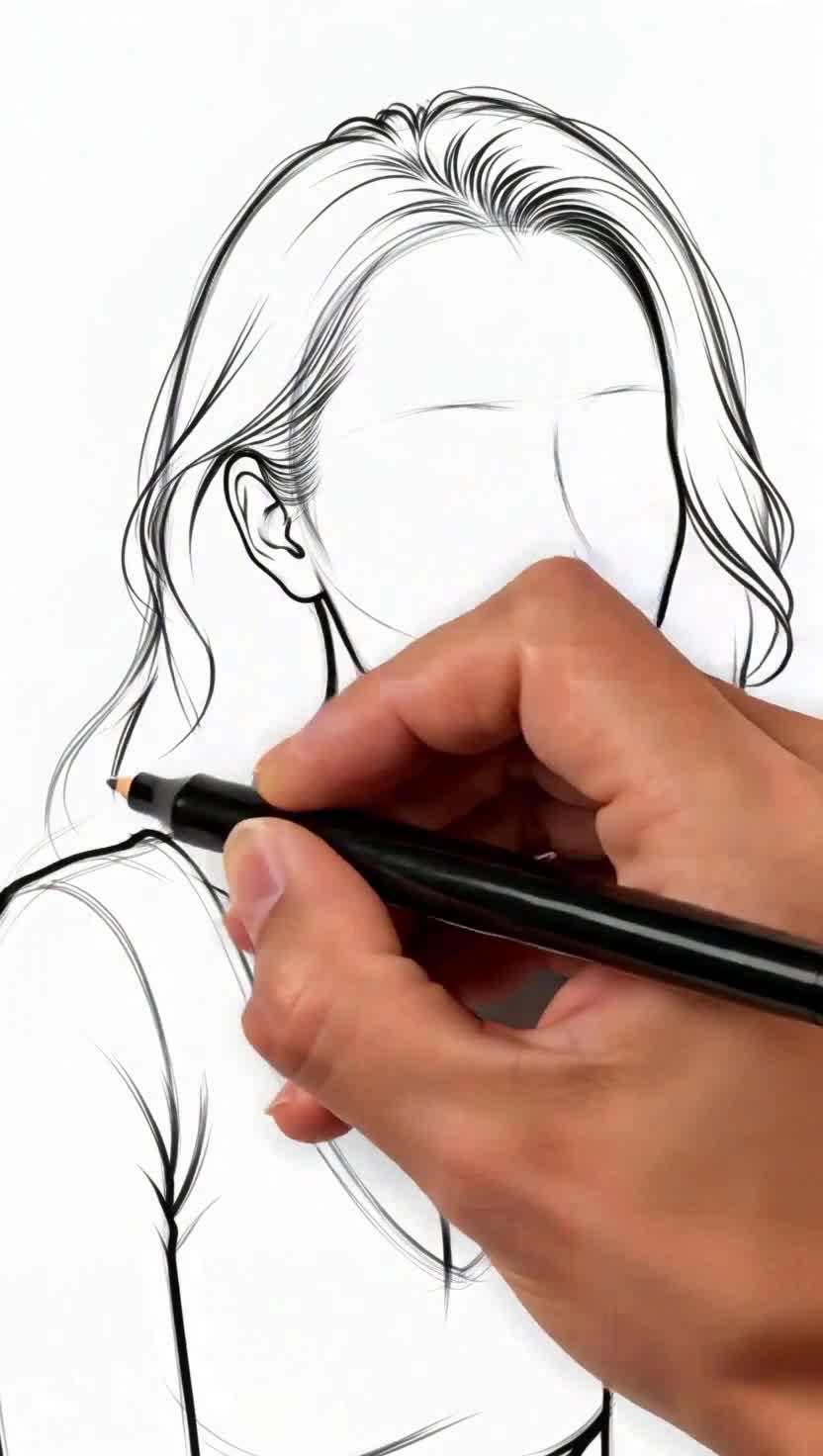
它的实现方法也很简单。
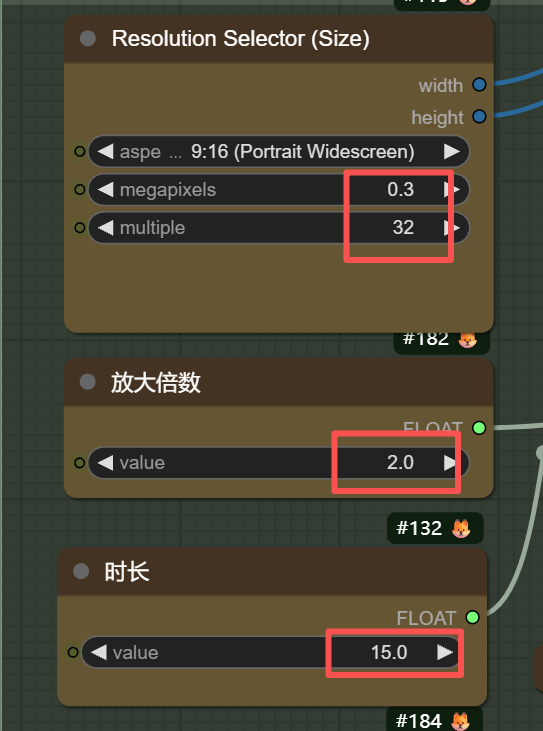
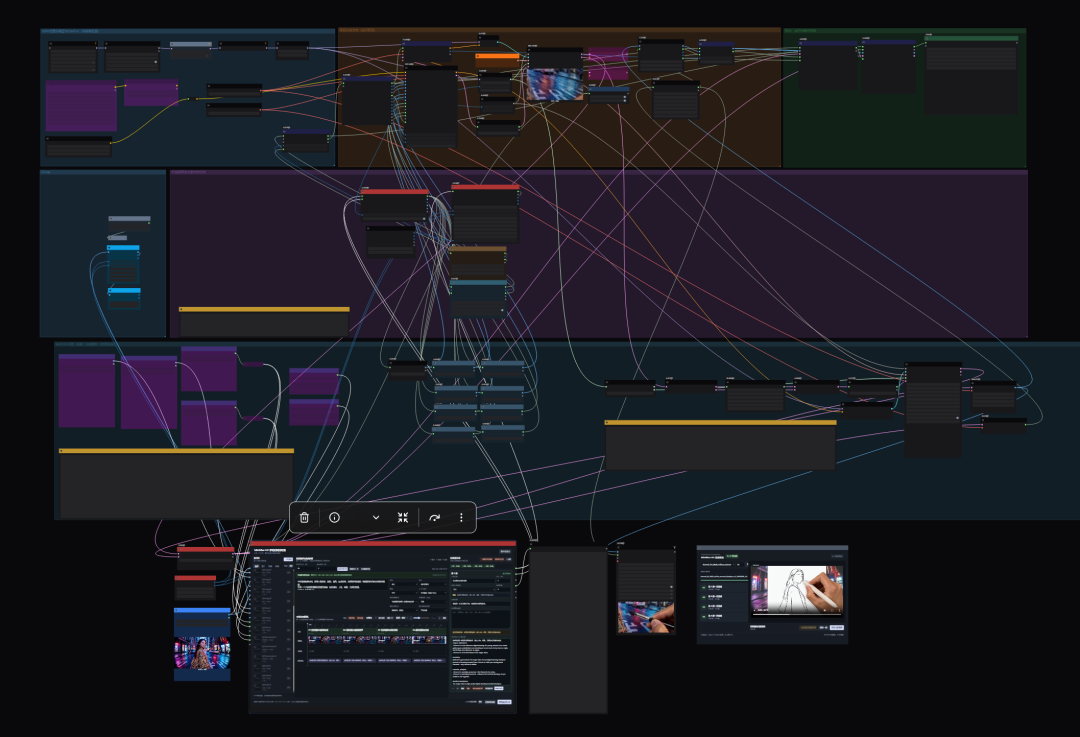
如果你要的长度不长,直接用minimaxH3工作流生成15秒的。为了视频更高质量,可以用放大二采工作流去实现:
强!时空分块循环! 8G低显存者福音!miniMaxH3稳定"一采-3D lantent放大-二采的时空分块循环处理"解决方案工作流!高清放大不爆显存!
设置0.3MP,15秒,放大两倍。
提示词如下,直接复制使用就行:
subject_definitions:
<Picture 1> is the reference digital drawing.
<Picture 2> is the first frame of the target video
summary:
[reference generation] The target video shows digital drawing timelapse process of drawing artwork from <Picture 1>. With pov moving hand removed - only canvas is visible
retention_analysis:
<Picture 2>: partially_preserved - first frame for the video.
<Picture 1>: partially_preserved - last frame for the video.
detailed_description:
The target video is high qualiy digital drawing recorded timelapse.
[Shot 1] starts from a white digital canvas and then draws the basic forms, shapes first starting from general (big) outline sketch of the pose. Then adding line after line to add new details on face, hair and clothes until a complete lineart sketch for the character is done.
[Shot 2] At 00:11.000, shows final result that is <Picture 1>.
overall_soundscape:
Silence
non_diegetic_music:
N/A
上传一张参考图:
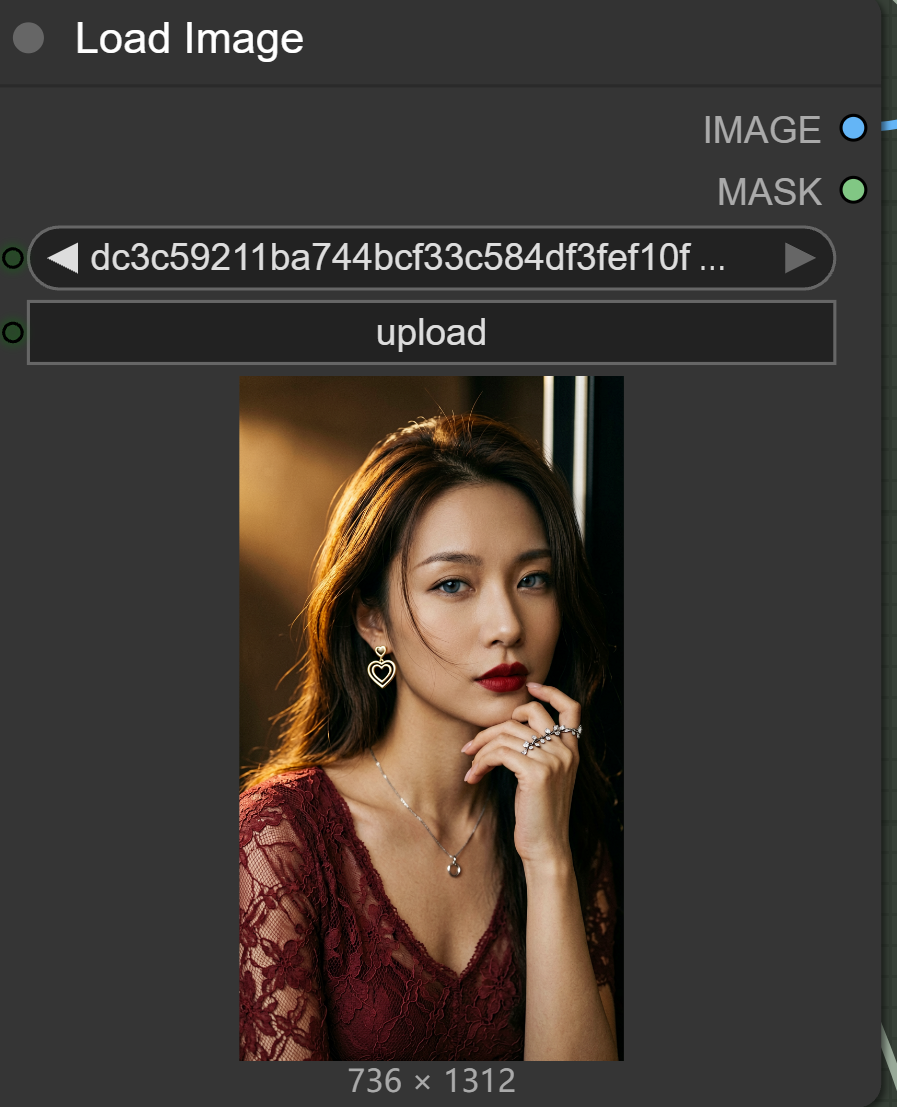
生成效果如下:
其实只要思路打开,画风就不止手绘,沙画,定格动画等延迟类视频也是可以的。只要修改下提示词。提示词的转换也很简单,使用LLM去模仿生成。
这里我用gemini直接生成一个:
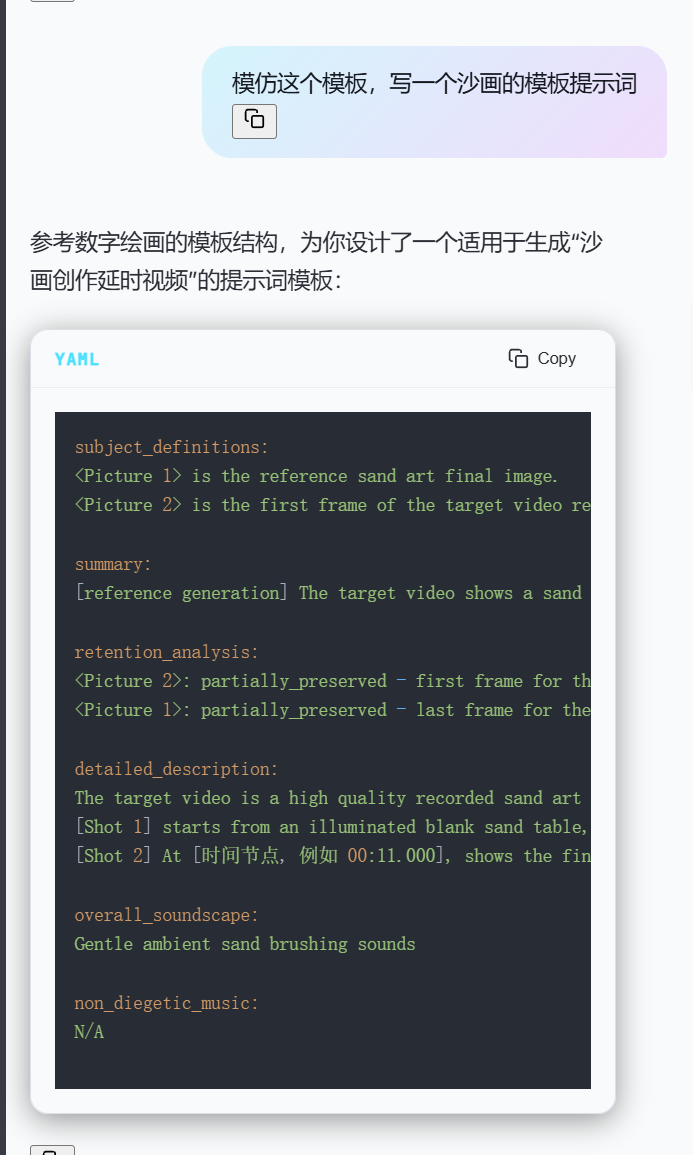
将提示词输入工作流中,直接再生成:
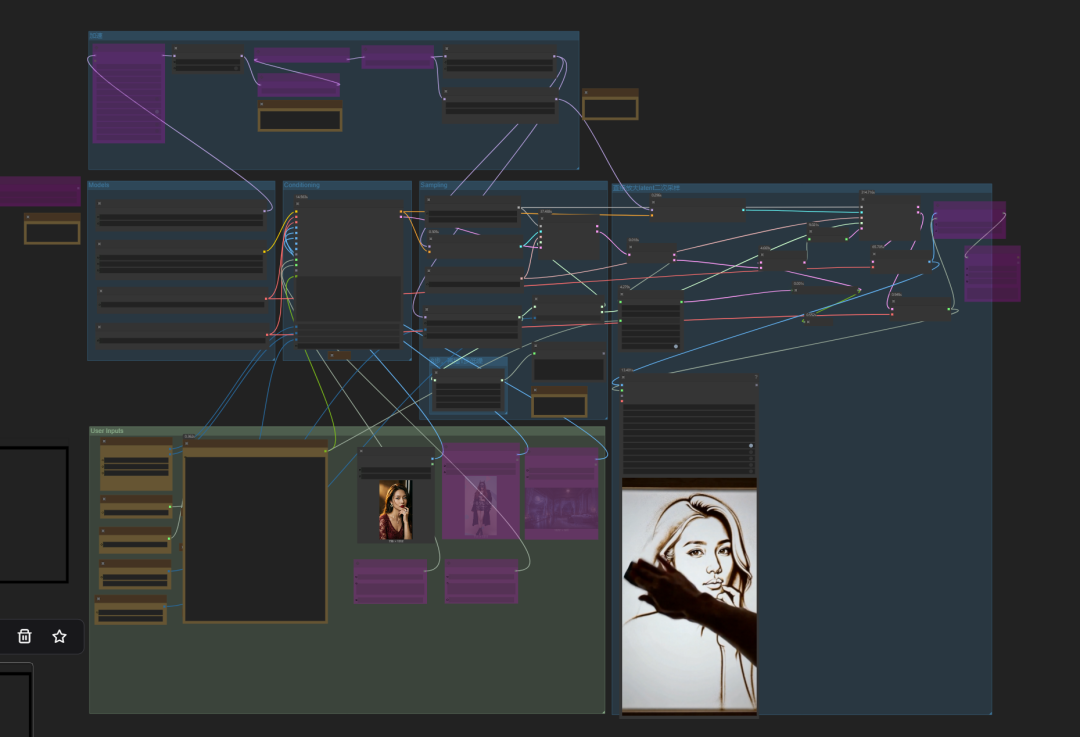
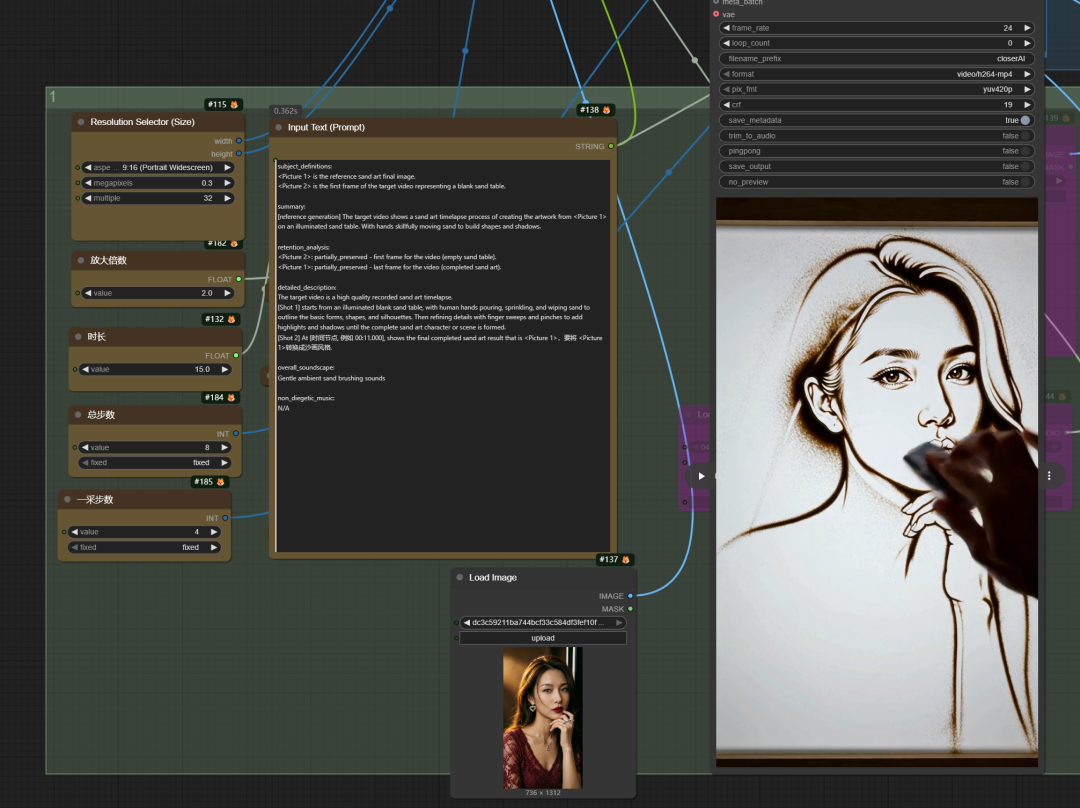
效果如下:
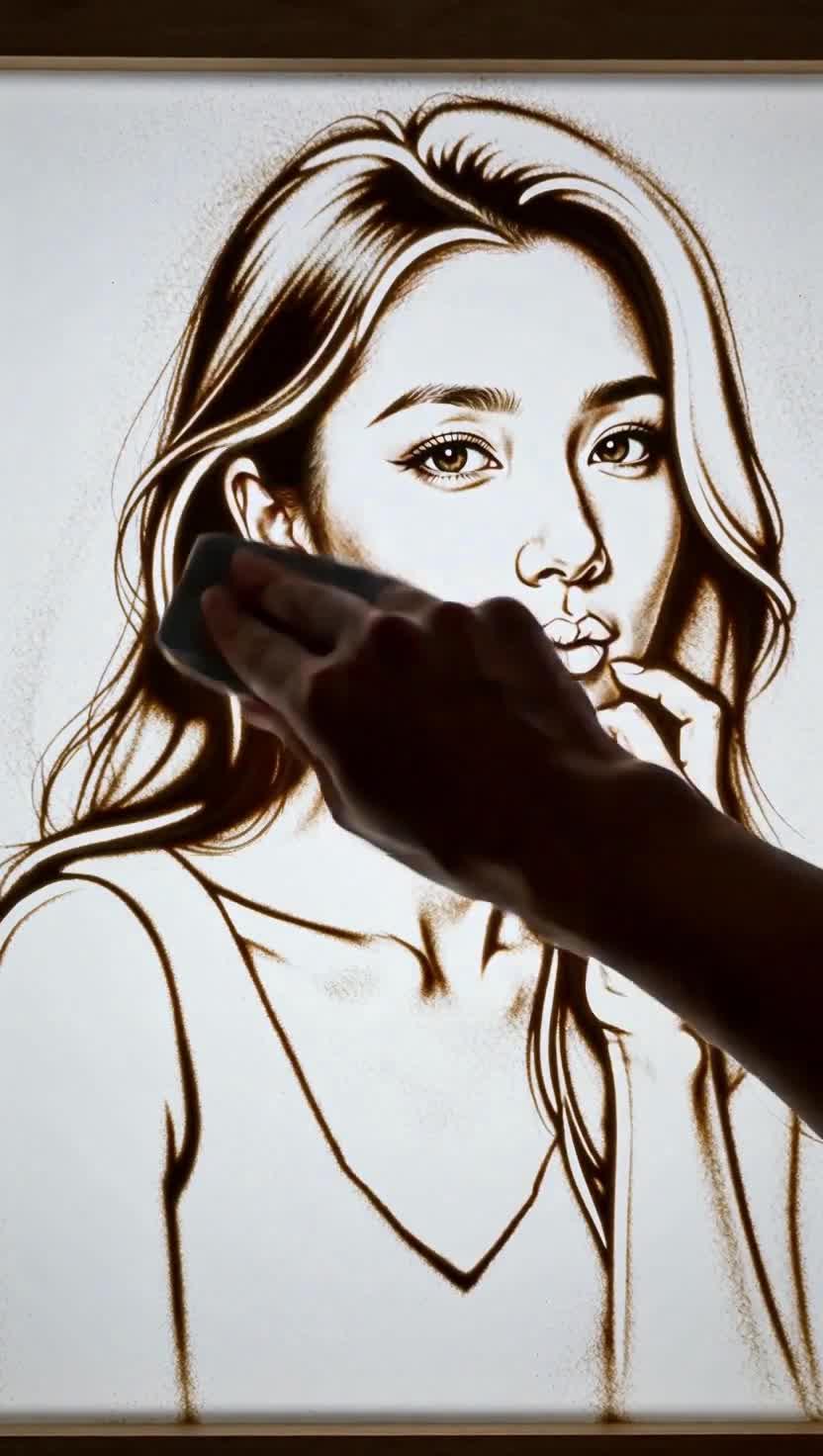
那如果我想过程更详细点,那就要长视频,minimax的长视频生成,我们也有解决方案:
再次加强!MiniMaxH3一站式创作!长视频精细化分段控制,连续上下文视频生成系统:素材库+可视化时间轨+分段提示词+可视化监督!冲啊!
使用我们的:closerAI 手动长视频时间线导演节点的工作流
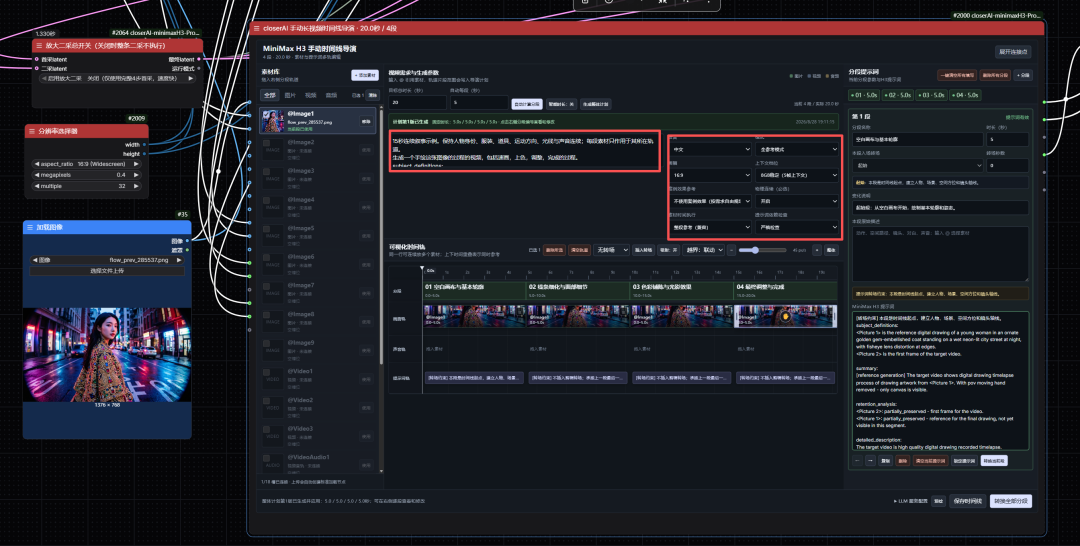
在我们手动长视频时间线导演节点中输入需求:
20秒连续叙事示例。保持人物身份、服装、道具、运动方向、光线与声音连续;每段素材只作用于其所在轨道。
生成一个手绘这张图像的过程的视频,包括速画,上色,调整,完成的过程。
subject_definitions:
<Picture 1> is the reference digital drawing.
<Picture 2> is the first frame of the target video
summary:
[reference generation] The target video shows digital drawing timelapse process of drawing artwork from <Picture 1>. With pov moving hand removed - only canvas is visible
retention_analysis:
<Picture 2>: partially_preserved - first frame for the video.
<Picture 1>: partially_preserved - last frame for the video.
detailed_description:
The target video is high qualiy digital drawing recorded timelapse.
[Shot 1] starts from a white digital canvas and then draws the basic forms, shapes first starting from general (big) outline sketch of the pose. Then adding line after line to add new details on face, hair and clothes until a complete lineart sketch for the character is done.
[Shot 2] At 00:11.000, shows final result that is <Picture 1>.
overall_soundscape:
Silence
non_diegetic_music:可爱的音乐
这里我设置20秒长度的,每段5秒,一共4段:
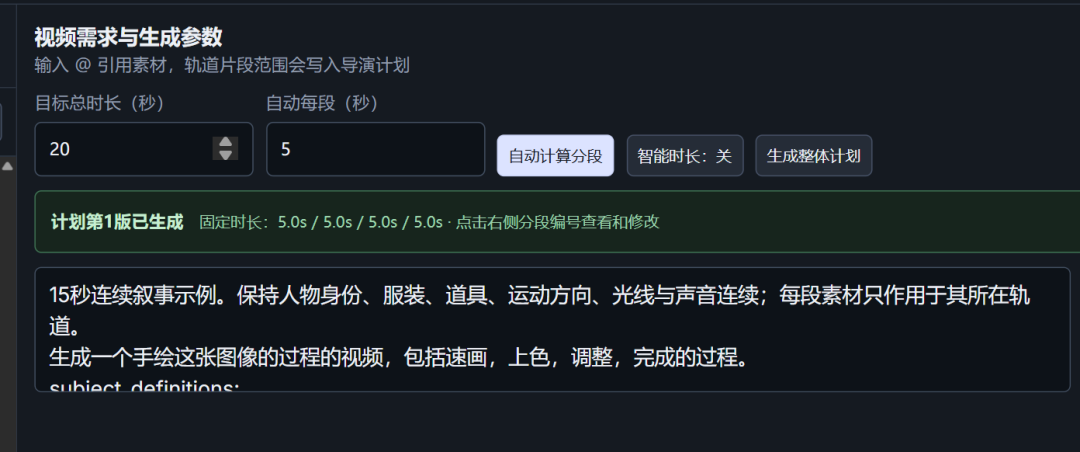
然后点击生成完整计划:
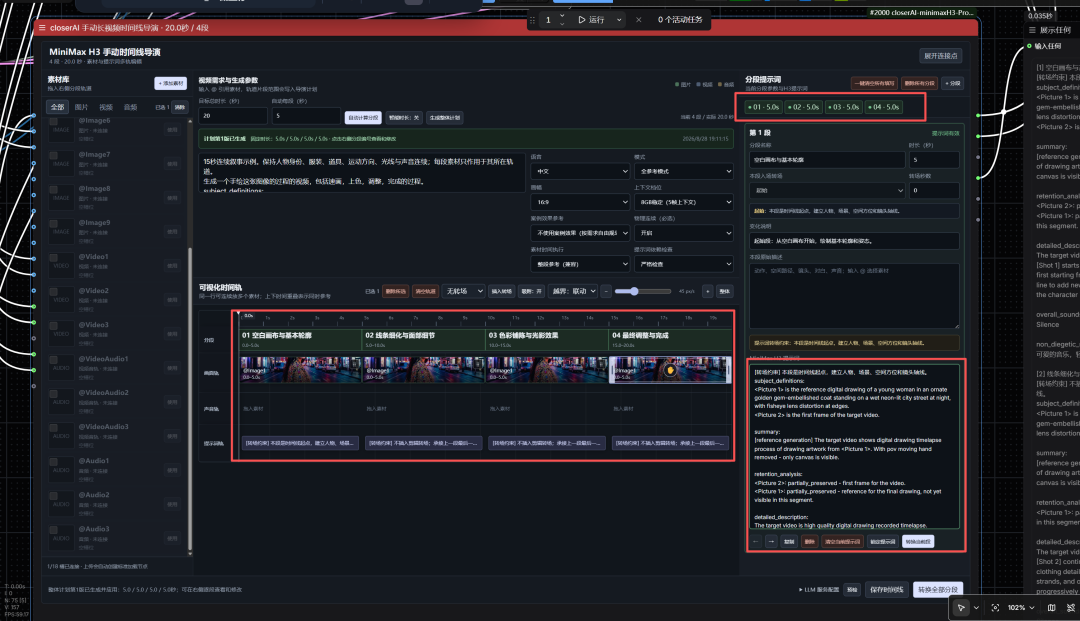
然后点击执行工作流,然后在实时预览节点中实时查看生成情况:
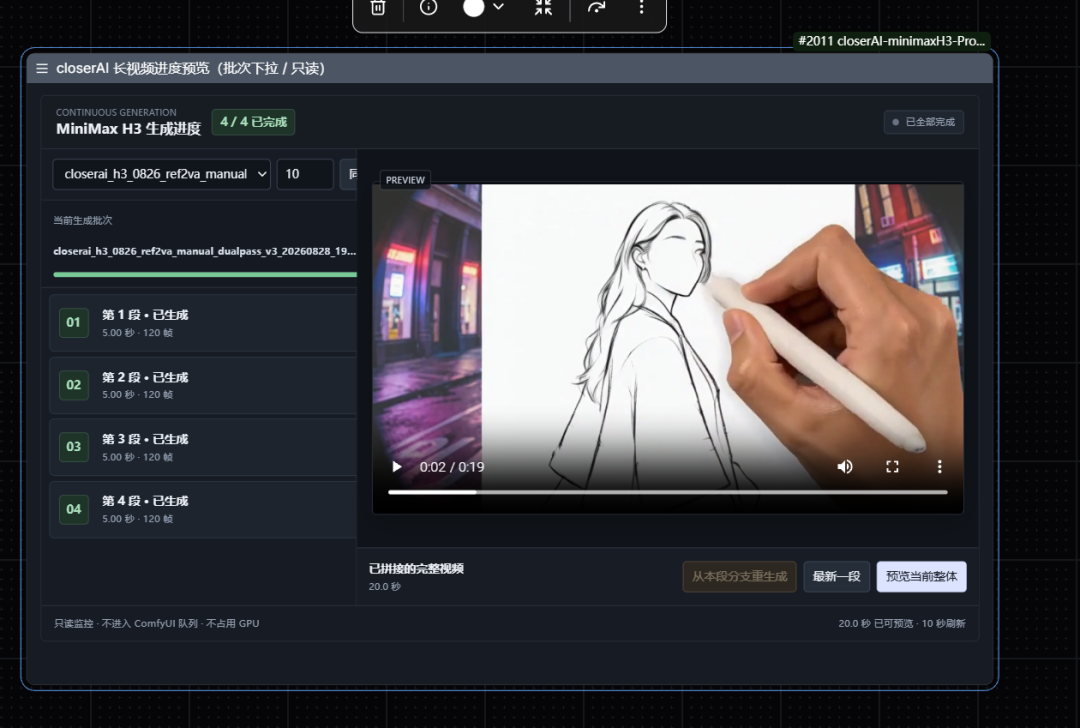
最后自动无缝拼接成长视频:
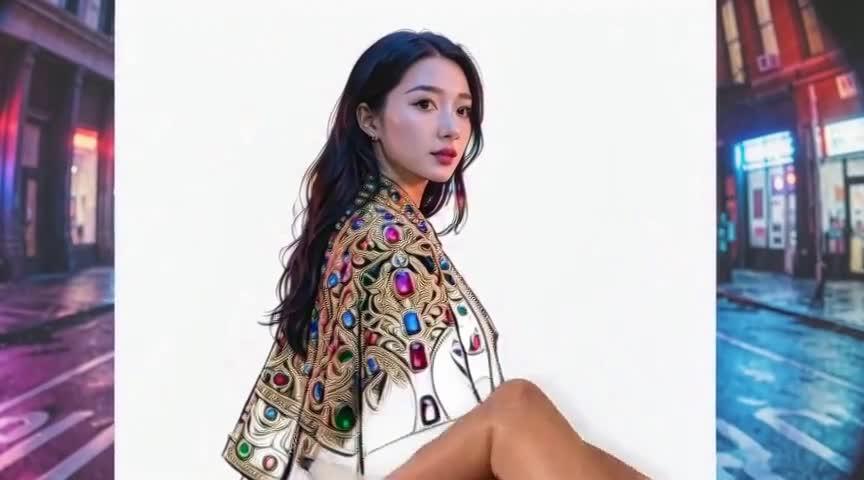
一个案例,延伸几种风格,把这些用到个性化人物定制的视频,形成短视频去起号,目前在油管非常火热!
如果对你有启发,请一键三连支持下我,你的支持是我持续输出的源泉!谢谢。
总结
用minimaxH3生成短视频起号,接定制单!是个不错的思路。且制作这类短视频效果很赞哦,建议你一定试下。
原文地址:https://aigc.douyoubuy.cn/2026/08/28/421830/
会员小伙伴可在小站上下载本期工作流、优化节点、模型。
我在RH上也生成了应用,可以直接在上面体验下
本地算力不够怎么办?
如果本地设备算力不好的小伙伴,推荐使用线上comfyUI来运行体验:runninghub.cn
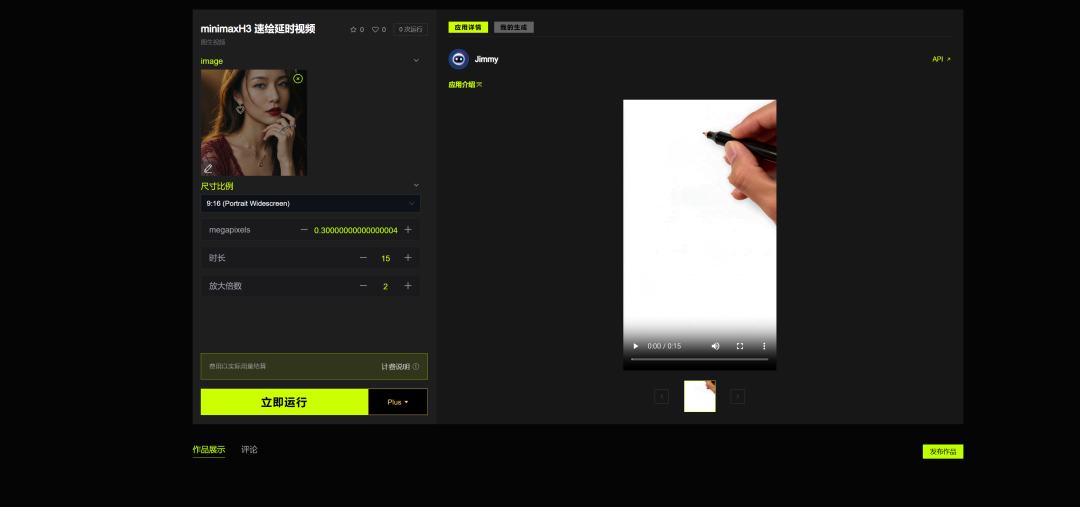
minimaxH3 速绘延时视频应用体验地址:
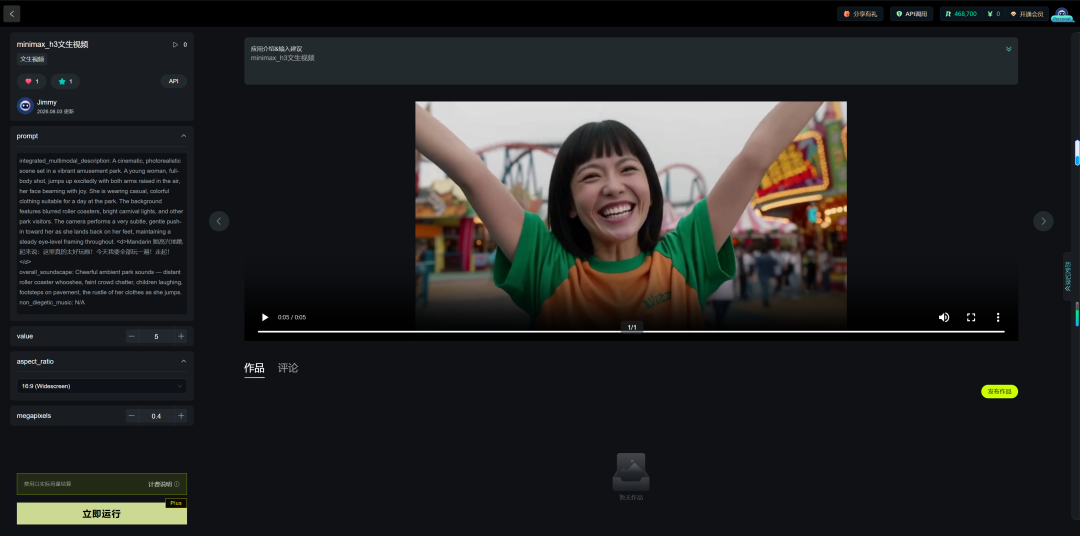
minimax_h3文生视频应用体验地址:
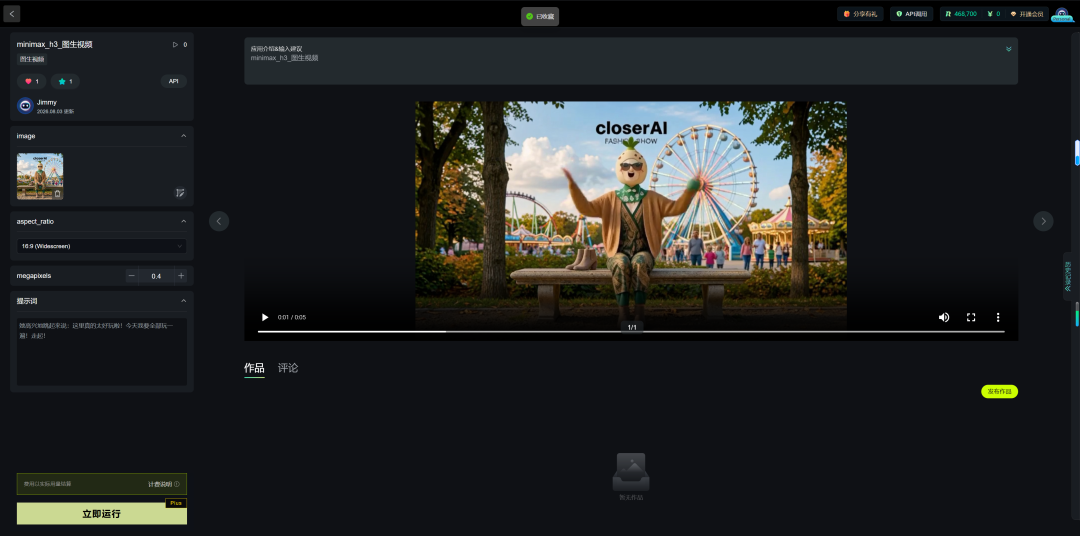
minimax_h3图生视频应用体验地址:
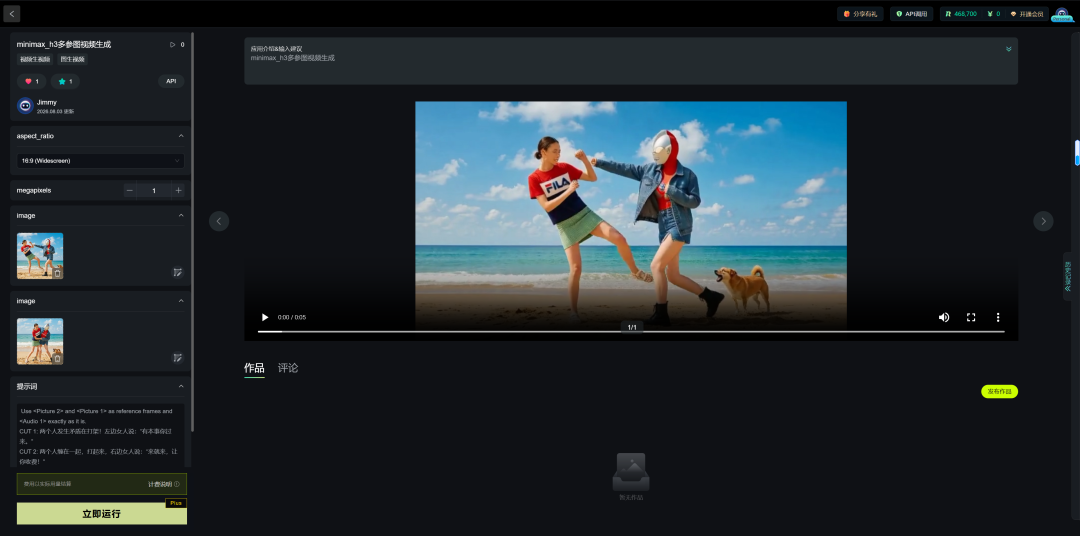
minimax_h3多参考视频生成应用体验地址:
注册地址:https://www.runninghub.cn/?utm_source=kol01-RH151
通过这个链接第一次注册送1000点,每日登录送100点
最后几句:
如果对你有帮助,请一键三连支持下我,感谢!以下是小站主流的一些AI工具应用:
- CloserAI AI短剧工作台(本地化解决方案) https://aigc.douyoubuy.cn/ai-agent/
- closerAI FlowStudio本地AIGC无限画布创作工具 https://aigc.douyoubuy.cn/closerai-flowstudio/
- closerAI AI绘画大师万象视界: https://aigc.douyoubuy.cn/closerai-vision/
- CLOSERAI POD电商印花批量生产工作站: https://aigc.douyoubuy.cn/?page_id=420541
- 印花提取: https://aigc.douyoubuy.cn/yinhua/
以上是就是本期的分享,当然,更多工作流、资讯、插件、工具也可以在我们closerAI会员站上获取(查看原文)。
以上,既然看到这里了,如果觉得不错,随手点个赞、在看、转发三连吧,如果想第一时间收到推送,也可以给我个星标⭐~谢谢你看我的文章,我们,下次再见。
>/ 作者:JimmyMo
更多AI前沿科技资讯,请关注我们:

主题授权提示:请在后台主题设置-主题授权-激活主题的正版授权,授权购买:RiTheme官网


评论(0)